
Miss the tweet, miss the entry. That is the full equation.
When a developer drops a contract address on Twitter, the first wave of buyers does not come from on-chain scanners. It comes from the traders who saw the tweet. The ones who caught it in the first thirty seconds. The ones with a system.
On-chain tools are essential — but they see the transaction after it happens. Research published in the Journal of Financial Economics confirms what experienced memecoin traders already know: Twitter activity precedes price movement, not the reverse. The tweet is the cause. The on-chain action is the effect. By the time a CA hits a forwarded Telegram thread, that window is closed.
If you're watching launchpad deploys manually, refreshing Twitter tabs, or relying on second-hand Telegram relay groups — you're always second.
Twitgram's CA Streams are built for this exact problem. Here's how they work.
The Problem With How Most Traders Monitor CAs
Most traders operate one of two ways.
The first: they follow known devs and KOLs on Twitter and hope they catch the post in real time. This does not scale. You cannot monitor hundreds of accounts manually. You sleep. You get distracted. You miss it.
The second: they rely on on-chain scanner bots in Telegram. These bots catch the transaction — but without knowing the catalyst, which is usually a tweet. The Twitter/X signal layer is earlier. KOLs and devs post the CA before the buying wave starts. On-chain tools see the effect. CA Streams catch the cause.
There is a third problem that does not get discussed enough: noise. Launchpad ecosystems run hundreds of deploys per hour at peak. Most tokens are dead within minutes. Crypto intelligence firm Merkle Science documented over $500 million lost to memecoin rug pulls and scams in 2024 alone — the majority concentrated in Solana launchpad activity. Bot accounts, anonymous deployers with 12 followers, accounts created yesterday pushing rugs. Even if you catch every CA tweet in real time, you need a way to filter it. High volume without quality filtering is not alpha. It is spam.
CA Streams solve both problems: real-time detection across the entire Twitter signal layer for supported launchpads, with a filter layer that lets you define what "high signal" looks like for you.
What CA Streams Are (and What They're Not)
CA Streams are a monitoring mode inside Twitgram. They are fundamentally different from account watchlists.
With an account watchlist, you specify which accounts to monitor. You already know who the signal sources are. You add them manually. It is a precision tool for tracking known entities.
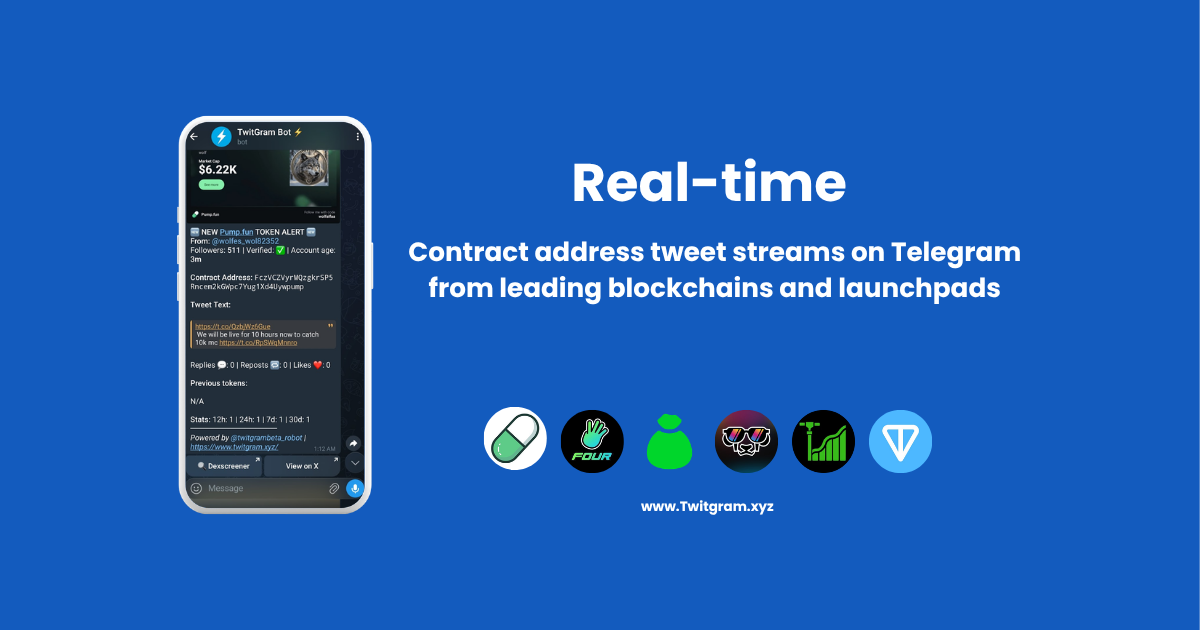
CA Streams work the other way around. You do not need to know which accounts will post a CA. Twitgram monitors the entire Twitter/X output across supported launchpad ecosystems and auto-detects when any tweet contains a contract address matching one of the supported sources. It surfaces the tweet to you — in Telegram — in real time.
No regex required. No keyword whitelisting. No manually inputting contract addresses. You select the stream source, set your filters, and route the CA alerts to your Telegram destination.
The five supported stream sources cover five of the leading launchpads plus the entire TON blockchain — meaning any CA matching those ecosystems, posted by any account on Twitter, is detectable.
What CA Streams are not: they are not on-chain monitors. They do not watch for transactions, wallet movements, or liquidity events. They watch Twitter. That is the point. The Twitter layer is earlier.
Use CA Streams and on-chain tools as layers, not substitutes.
The Five Filters: This Is Where the Edge Lives
Auto-detection gets you the full signal stream. Filters are what turn that stream into actionable intelligence.
Without filters, a CA Stream is noise. With the right filters, it becomes a curated feed of high-probability launches worth paying attention to. Here are the five filters available for every CA Stream, and why each one matters.
1. Follower Count Threshold
Set a minimum follower count for the tweeting account. Any CA tweet from an account below your threshold is suppressed.
Why it matters: the vast majority of rug-posted CAs come from bot accounts and fresh accounts with no following. An account with 5,000 followers posting a CA is a categorically different signal from an account with 67 followers doing the same. This single filter eliminates the majority of low-quality noise. Security researchers tracking launchpad rug patterns consistently identify low-follower, recently-created accounts as the primary vehicle for exit scams — a pattern that held throughout 2024's memecoin surge.
Aggressive entry traders might set this to 500+. Conservative traders focused on established KOL plays might set it to 10,000+.
2. Account Age
Set a minimum account age in days. Accounts created recently — within 30, 60, or 90 days — are suppressed.
Why it matters: fresh accounts are the most common vehicle for scam launches. A developer who creates a Twitter account the same week they deploy a rug is pattern-matching to something well-documented in CT. Account age is one of the cheapest and most reliable filters for eliminating this risk. With rug pull velocity accelerating — analysts documented a peak of 31 rug pulls in a single day in November 2024 — the "smash-and-grab" playbook almost always involves a fresh account.
3. Verification Status
Filter to only receive CA alerts from verified accounts, or include non-verified accounts in your stream.
Why it matters: verification is not a guarantee of quality, but it raises the floor. Requiring verification as one condition — combined with follower count and account age — builds a compound quality gate that very few bot accounts can pass.
4. 24h Tweet History
Set a threshold on how many tweets containing a token contract address an account has posted in the past 24 hours. Filter out accounts posting at bot-like frequency.
Why it matters: spam-posting accounts are a common pattern in launchpad ecosystems. An account that tweets 10 token contract addresses in a day is operating differently from one that posts one or two. High CA post volume is a noise signal, not a signal signal.
5. Blacklist Rules
Define specific accounts to suppress from your stream permanently.
Why it matters: every trader builds a mental list of accounts they've learned to ignore. The blacklist externalizes that list. Known rug deployers, recurring noise sources — add them once, never see them again. This filter compounds in value over time as your blacklist grows.
Combining Filters: Two Trader Profiles
Profile A — Early Entry, Higher Risk Tolerance
- Follower count: 1,000+
- Account age: 60+ days
- Verification: all accounts
- 24h tweet history: under 100
- Blacklist: populated over time
Profile B — Conservative, Verified-Only
- Follower count: 10,000+
- Account age: 180+ days
- Verification: verified only
- 24h tweet history: under 50
- Blacklist: populated over time
Neither profile is wrong. They reflect different risk tolerances and different playbooks. CA Streams support both.
How CA Streams Fit Into a Broader Monitoring Stack
CA Streams are one layer. Combine them with account watchlists for complete coverage.
CA Streams: catch CA tweets from accounts you don't know about yet. Source-wide detection across supported launchpads. No account list required.
Account watchlists: monitor known devs, KOLs, and project accounts you've already identified. Supports keyword filters for precision.
The combination covers both vectors: known signal sources and unknown deployers surfaced by launchpad activity. Missing either layer means a systematic blind spot.
Step-by-Step: Setting Up a CA Stream in Twitgram
-
Open Telegram and search for @Twitgram_Robot. Start the bot.
-
Access CA Streams. Navigate to the '₿ CA Streams' menu. Available on Basic plan and above.
-
Select a stream source. Choose from Pump.fun, Bags.fm, Printrr, four.meme, Pump.tires, or the TON chain-wide stream.
-
Set your filters. Configure follower count, account age, verification status, 24h tweet history, and blacklist rules. Start moderate and adjust after reviewing your first alerts.
-
Choose your alert destination. Route to DM, a Telegram group, or a channel.
-
Confirm and go live. The next qualifying CA tweet lands in your chosen destination.
💡 Pro Tip: Run your stream for 24 hours with moderate filters before tightening them. Review which alerts triggered and which accounts were behind them. Adjust follower count and account age thresholds based on what you actually see — not what you expect.
💡 Pro Tip: If you're monitoring multiple launchpads simultaneously, route each stream to a separate Telegram group or channel. Mixing streams into a single channel makes triage harder. Separate destinations let you act on each source on its own terms.
Which Plans Include CA Streams
CA Streams are available on paid plans. The Free Trial does not include stream access.
| Plan | Price | CA Streams | Monitored Accounts | Tweet Delivery |
|---|---|---|---|---|
| Basic | $25/mo | Included | 10 | ~2-3 seconds |
| Standard | $75/mo | Included | 30 | Instant |
| Advanced | $149/mo | Included | 60 | Instant |
| Enterprise | $499/mo | Included | 200 | Instant |
For traders where delivery speed defines the entry, Standard is the practical threshold. Instant delivery is not a convenience feature. It is the feature.
Go Deeper: Chain-Specific Guides
- TON chain: How to Monitor TON Chain Launches with Twitgram
- Solana — pump.fun, bags.fm, and more: How to Monitor Solana Launches with Twitgram
Start Catching CA Drops in Telegram
The alpha is in the tweet. Twitgram CA Streams put that moment inside your Telegram — filtered to the signal level you define, from launchpad ecosystems you choose, routed wherever your trading workflow lives.